Saving Rules
How rule edits are saved into the document or to external files, and how they tie into Inventor's own document save, close, and quit.
The editor keeps your unsaved edits in the open tab until you save. A tab with unsaved changes shows a dot instead of its close button, so you can always tell what still needs saving.
Save the active rule with Save (Ctrl+S) or the save button in the rule's toolbar. Save & Run (F5) saves first, then runs. Where a rule is saved depends on its kind.
Document rules
A document (internal) rule lives inside the Inventor document, so saving it writes the rule back into the document. Editing a document rule also marks the document itself as modified, so Inventor's own save prompt covers it:
- When you save the document (Ctrl+S in Inventor, or Yes on Inventor's "save changes?" prompt as the document closes), the editor flushes any unsaved rule edits into the document first, silently, with no extra dialog. The rule edits become part of the saved file.
- If you close the document without saving, the rule edits are discarded along with the rest of the document's unsaved changes, exactly as you'd expect.
Because a rule edit marks the document dirty, you no longer have to remember to save the rule separately before closing: Inventor's normal "do you want to save?" prompt already covers it.
External rules
An external rule is a file in one of your configured directories. Saving it writes the file directly, independent of any document. If the file is read-only (for example a rule in a Vault workspace you haven't checked out), the save is refused and the tab stays dirty.
Hiding the panel
If you hide the editor panel while rules have unsaved edits, the editor asks Save changes before hiding? and lists those rules, each with a checkbox. Checked rules are saved before the panel hides. Rules you leave unchecked are discarded: their tabs close and the edits are gone. Cancel keeps the panel open with everything as it was. If a save fails, the panel stays open so nothing is lost.
Switching documents
Document rules belong to the document that was active when you opened them. When you switch to a different document, those rule tabs close. If any have unsaved edits, the editor prompts you to save them back into the previous document first, listing exactly which rules are affected. External-rule tabs are unaffected by a document switch.
Closing Inventor
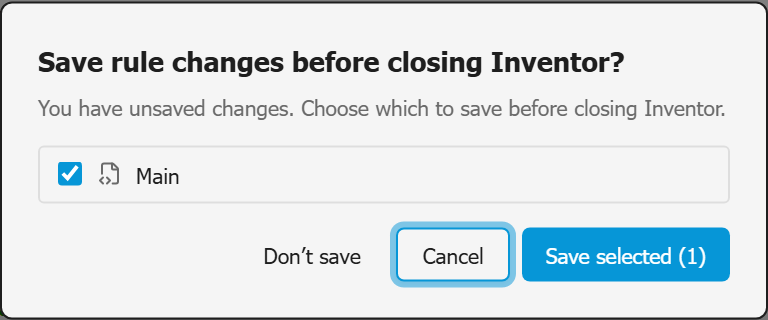
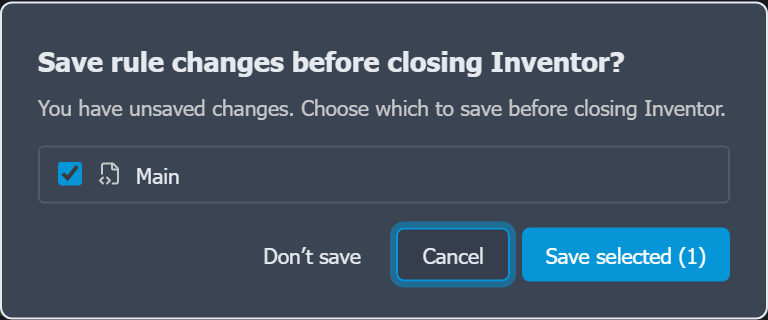
When you quit Inventor with unsaved rule edits, the editor shows one dialog listing every unsaved rule (document and external together) so you can choose which to save before Inventor closes. Cancelling the dialog aborts the quit so nothing is lost; saving writes external rules to their files and document rules into their documents. Document rules you choose not to save stay out of the document, even if you then save it when Inventor asks.
Unloading iLogic Code in the Add-In Manager shows the same dialog, without Cancel, since an unload can't be stopped. Edits that fail to save there are kept in the recovered rules folder (see Files & Logs).