Templates
Reusable starter rules with variable substitution, applied when you create a new rule.
Templates are reusable starter rules. Instead of pasting the same header, imports, and boilerplate into every new rule, you keep them as named templates and create new rules from them. Open the Templates panel from the Templates () icon in the rail.
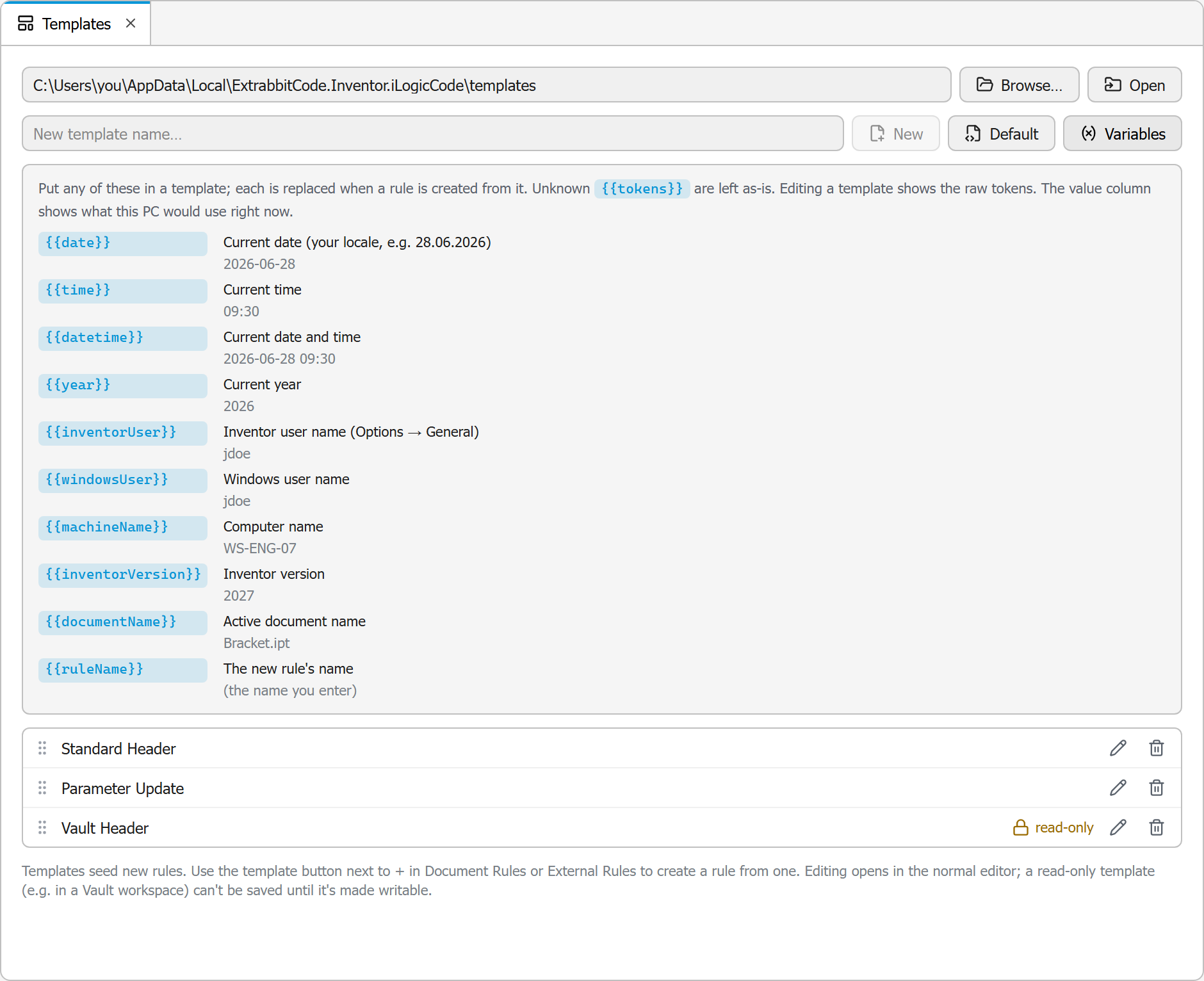
The templates folder
Templates are plain rule-source files in a folder you configure. Set the folder with Browse, or open it in Windows Explorer to manage the files directly. If you do not set a folder, a default one under your app-data folder is used (see Files & Logs).
The panel header has these buttons:
| Button | Action |
|---|---|
| Browse | Choose the templates folder |
| Open | Open the templates folder in Windows Explorer |
| New | Create a new, empty template with the name you typed |
| Default | Add the built-in starter template to the folder so you have something to begin with |
| Variables | Show the template variable cheatsheet |
Managing templates
From the panel you can:
- Create a new template by name.
- Rename a template.
- Delete a template.
- Reorder templates by dragging. The order is the order they appear in the template picker.
Templates that live in a read-only location (for example a Vault workspace) are marked read-only and cannot be edited or deleted from here. Templates open in the normal code editor, so you can edit their content like any rule.
Creating a rule from a template
In the Rules Explorer, the New rule from template button (next to New rule) in either group opens a picker of your templates, sorted by display order. Pick one and the new rule is seeded with the template's content, with variables substituted.
Template variables
Templates can contain variables that are replaced with live values when a rule is created from them. The panel includes a cheatsheet showing each token and its current value on your machine:
| Variable | Replaced with |
|---|---|
{{date}} | The current date |
{{time}} | The current time |
{{datetime}} | The current date and time |
{{year}} | The current year |
{{inventorUser}} | Your Inventor user name |
{{windowsUser}} | Your Windows user name |
{{machineName}} | This computer's name |
{{inventorVersion}} | The Inventor version |
{{documentName}} | The active document's name |
{{ruleName}} | The name of the new rule |